
- All
- Product Name
- Product Keyword
- Product Model
- Product Summary
- Product Description
- Multi Field Search
Views: 0 Author: Site Editor Publish Time: 2026-09-01 Origin: Site


The primary bottleneck in scaling clear aligner therapy is rarely the physical appliance. It is the friction found in treatment planning, lab communication, and workflow management. Orthodontic practices and dental clinics face diminishing margins when workflows are plagued by high revision rates, excessive chair time, and disjointed software ecosystems that fail to communicate with existing hardware. Transitioning to or upgrading your digital setup requires looking beyond basic 3D manipulation. You need platforms that offer clinical control, interoperability, and measurable operational efficiency. Implementing robust aligner software transforms these operational hurdles into streamlined, predictable clinical outcomes. We will break down exactly how to evaluate these platforms to maximize your clinic's production and predictability.
Interoperability is Non-Negotiable: The most efficient aligner software operates on an open architecture, seamlessly accepting STL/PLY files from any intraoral scanner or CBCT machine.
Automation Requires Clinical Override: While AI-driven staging accelerates initial setups, platforms must allow granular biomechanical control to prevent mid-course corrections.
In-House vs. Outsourced Scalability: Software selection dictates your production model—evaluating per-case fees versus subscription models is critical for practices moving toward in-house 3D printing.
Data Security is a Baseline: Cloud-based treatment planning must meet strict HIPAA, SOC2, and GDPR compliance standards for patient data protection and secure lab portal communication.
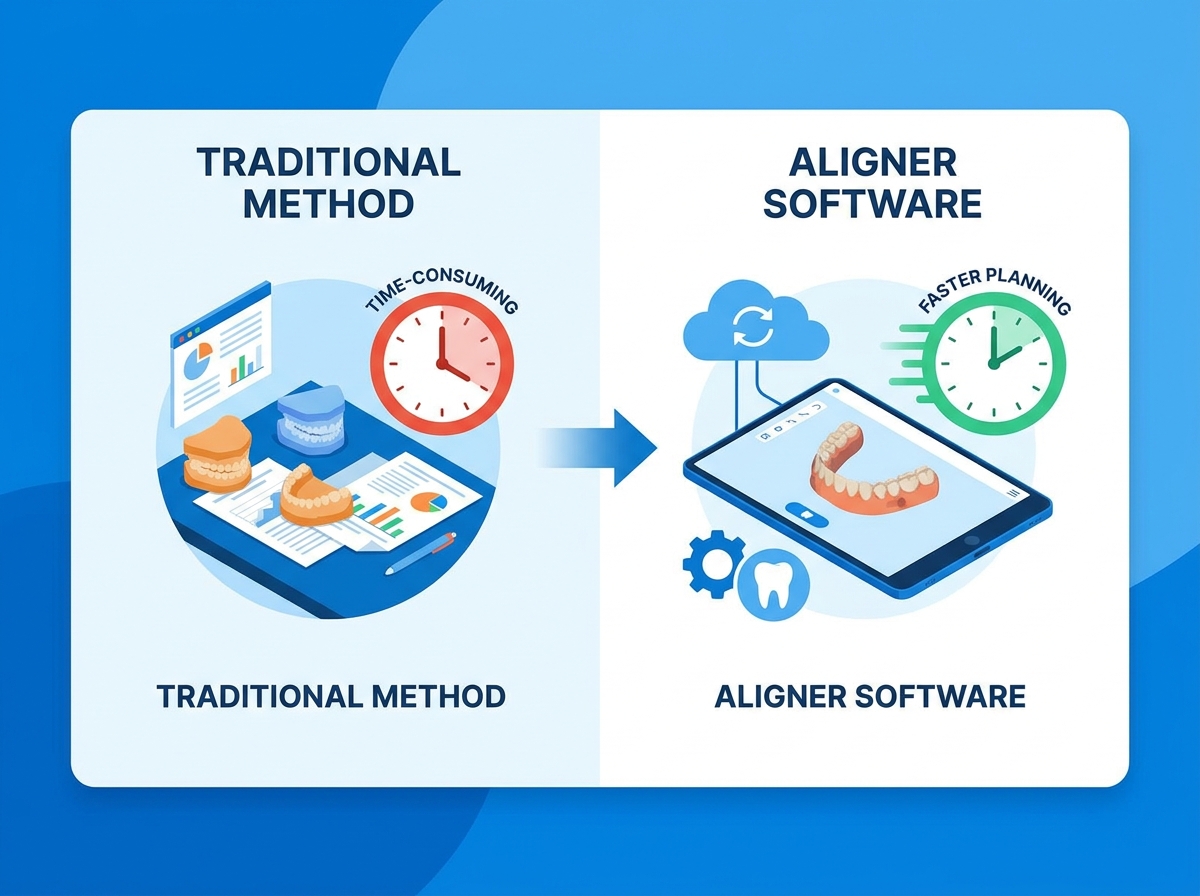
Clinical inefficiency in a modern practice manifests through delayed starts, unpredictable tracking, and redundant manual tasks. Establishing baseline metrics for improvement requires identifying exactly where the digital workflow breaks down. Success criteria for any digital upgrade must include reduced chair time per patient, fewer refinement scans, and a seamless transition of data from capture to manufacturing. We see clinics bottlenecked because doctors spend hours reviewing poor setups instead of diagnosing new patients.
The time cost of back-and-forth communication with external lab technicians drains practice resources. When you submit an initial scan, the waiting period for a digital setup often stretches into weeks. Technicians frequently misinterpret written prescription forms, leading to setups that look aesthetically pleasing but are biomechanically impossible. If the initial setup lacks realism—such as failing to account for root collisions or planning impossible extrusions without proper attachments—you must request revisions. Each revision cycle adds days to the timeline. Patients get frustrated. Treatment starts get delayed.
Poor initial setups directly lead to excessive refinements. When teeth do not track according to the digital plan, mid-course corrections become inevitable. These corrections require new impressions or scans, additional treatment planning, and new aligner fabrication. This cycle extends overall treatment times and drastically reduces the profitability per patient. A highly predictable initial setup is the most effective way to protect clinical margins. You need software that gets the staging right the first time, utilizing accurate force vectors and realistic movement velocities.
Closed-loop systems force practices to use proprietary scanners or specific manufacturing hubs. This creates immediate friction on the clinic floor. When you invest in a high-end intraoral scanner, that hardware must communicate effortlessly with the treatment planning platform. Closed ecosystems restrict this communication. They lock practices into restrictive workflows and limit your ability to scale or pivot production methods. If you want to switch to a local lab for faster turnaround, a closed system blocks you.
The data-loss risks and time sinks associated with manually exporting, converting, and importing patient files across incompatible platforms are substantial. Dental assistants waste hours managing file conversions rather than assisting with patient care. Handling heavy STL or PLY files manually often leads to mesh density issues or corrupted exports. Every manual transfer introduces the risk of patient data mismatches. A truly efficient practice requires a unified ecosystem where data flows seamlessly from the scanner to the planning platform and finally to the 3D printer or lab.
Mapping specific software capabilities to direct operational outcomes reveals the true value of digital integration. Modern platforms replace disjointed manual processes with streamlined, algorithm-assisted workflows. We look for software that handles the heavy lifting of data preparation so the doctor can focus entirely on biomechanics.
AI-driven auto-segmentation of teeth and gingiva eliminates hours of manual digital prep work. Historically, technicians had to manually trace the gingival margins and separate each tooth from the digital model. Advanced platforms now perform this task in seconds with high accuracy. This immediate segmentation allows you to move directly into treatment planning without waiting for manual model preparation.
Algorithmic tooth movement rules reduce the manual labor of staging. Features like collision detection prevent interproximal overlapping during digital movements. Root tracking algorithms estimate the position of the roots based on the crown morphology, ensuring that proposed movements remain biologically safe. These automated rules create a highly accurate baseline setup, significantly reducing the time required to finalize a case. When planning complex movements like molar distalization or severe rotations, the software must accurately predict anchorage loss. Moving a multi-rooted molar requires significantly more force than tipping a single-rooted incisor. The software algorithms must account for these biological realities, adjusting the staging sequence to prevent unwanted reciprocal movements.
Automation must never replace clinical judgment. There is a delicate balance between automated AI setups and the necessity for the clinician to adjust force vectors. You must maintain the ability to modify attachment placements, alter staging sequences, and account for specific aligner material properties. For example, the force delivery of a flexible TPU material differs vastly from a rigid PETG polymer. The software must allow you to adjust overcorrection parameters based on the specific material being used.
Software that natively integrates with major intraoral scanners yields massive efficiency gains. Platforms that accept direct file routing from scanners like iTero, TRIOS, and Medit eliminate the need for manual STL exports. The scan data populates directly into the patient’s digital chart within the planning software. This direct integration accelerates the workflow and reduces administrative overhead.
Merging CBCT DICOM data with intraoral surface scans enables true root-based treatment planning. Surface scans only provide data on the clinical crowns. By superimposing CBCT data, you can visualize the exact position of the roots within the alveolar bone. This capability is vital for complex movements like significant intrusion, extrusion, or torque. It allows you to plan movements that respect the biological boundaries of the cortical plates, reducing the risk of fenestration or dehiscence.
Direct API integrations with leading intraoral scanner manufacturers.
Automated superimposition of STL/PLY surface scans over DICOM volumetric data.
Real-time visualization of root proximity and bone density during digital staging.
Export capabilities that support a wide range of SLA and DLP 3D printers.
Integrated treatment simulators function as powerful conversion tools during the initial consultation. When a patient can see a highly accurate, 3D representation of their future smile, case acceptance rates increase dramatically. The simulator bridges the gap between clinical diagnosis and patient comprehension.
The ability to modify treatment outcomes in real-time with the patient in the chair saves immense amounts of time. If a patient expresses a specific aesthetic preference, you can adjust the final digital setup immediately. This collaborative approach builds trust and eliminates the need for follow-up consultation appointments. The patient leaves the clinic with a clear understanding of the treatment goals and a higher likelihood of committing to the therapy.
Selecting the right platform requires a strict evaluation framework. Decision-makers must shortlist vendors based on technical capabilities, clinical depth, and operational flexibility. You need to look under the hood and test how the software handles complex, multidisciplinary cases.
Assess the depth of the software’s toolset. You must be able to easily modify arch forms, design custom IPR protocols, and place specific attachment designs. While AI can suggest attachment placement based on desired movements, you must have the final say. The software should offer a library of standard attachments while also allowing for the creation of custom, user-defined shapes for complex biomechanical needs.
Evaluate the transparency of the software's algorithms. Black-box AI systems that do not explain their staging logic are dangerous in a clinical setting. You must be able to verify the biological plausibility of the proposed movements. The software should provide clear data on movement velocities, degrees of rotation per stage, and the exact amount of IPR required. This transparency ensures that the digital plan translates predictably to the physical environment.
Compare software that forces routing to a specific centralized lab versus platforms that offer exportable STL files. Exportability is the cornerstone of manufacturing flexibility. Practices that want to maintain control over their production timeline must choose software that allows for in-house 3D printing and thermoforming. Conversely, practices that prefer a hands-off approach may opt for seamless integration with a preferred centralized lab.
Managing an in-house digital workflow requires specific operational capabilities. The software should assist with nesting and slicing the digital models for 3D printing. It must integrate smoothly with your chosen printer hardware. Efficient nesting maximizes the number of models printed per batch, reducing material waste and accelerating production times. The in-house production sequence demands precise software handoffs. Once the digital staging is approved, the software must generate solid or hollowed models for each stage. These models are exported as STL files and imported into slicing software. The slicing software dictates the print resolution and support structures. After printing, the models undergo washing in isopropyl alcohol and curing under UV light to achieve maximum dimensional stability. Only then can the thermoplastic sheets be vacuum-formed over the models. Software that automates the hollowing and labeling of these models saves significant resin costs and prevents mix-ups during the thermoforming stage.
Production Model | Workflow Control | Turnaround Time | Hardware Requirements |
|---|---|---|---|
In-House 3D Printing | Maximum control over staging, attachments, and material selection. | Same-day or next-day aligner delivery is possible. | Requires investment in 3D printers, wash stations, and curing units. |
Centralized Lab Production | Relies on external technicians for initial setups and fabrication. | Typically 2 to 4 weeks from scan submission to delivery. | Only requires an intraoral scanner and a stable internet connection. |
Hybrid Approach | In-house printing for retainers/simple cases; lab for complex cases. | Variable based on case complexity and routing choices. | Requires baseline printing hardware alongside lab portal access. |
Evaluate the efficiency of cloud-based review portals. You should be able to approve setups remotely without installing heavy desktop applications on multiple clinic computers. A browser-based portal allows you to review cases from home or while traveling, preventing bottlenecks in the approval pipeline.
Assess the platform's communication tools for asynchronous collaboration. The software should feature robust annotation tools, allowing you to leave specific, localized feedback for remote treatment planners or in-house lab technicians. Clear communication directly within the 3D environment prevents misunderstandings and reduces revision cycles.
Analyze the software’s ability to integrate with Remote Patient Monitoring applications. RPM allows for dynamic treatment tracking. Patients scan their teeth at home using their smartphones, and the software compares the actual tooth position against the digital plan. This integration reduces unnecessary in-office checks and alerts you immediately if a case stops tracking.
Adopting new clinical technology introduces friction. Navigating these implementation risks requires a clear strategy and a deep understanding of the platform's support infrastructure. You cannot afford to halt clinic operations while staff struggle to learn a new interface.
Acknowledge the initial dip in productivity when transitioning from outsourced planning to in-house software manipulation. Staff and clinicians will need time to learn the new interface, understand the staging logic, and master the export protocols. This temporary slowdown is a normal part of the adoption curve.
Mitigate this risk by looking for vendors offering robust onboarding and clinical training modules. Comprehensive training ensures that staff can utilize the software's full feature set quickly. Demand strict Service Level Agreements for technical support and software uptime. If the cloud portal goes down, production halts. Reliable, responsive technical support is a mandatory requirement for any digital platform.
Examine the regulatory requirements for storing patient records, 3D models, and photographs in cloud environments. The software must adhere to strict HIPAA, GDPR, and SOC2 compliance standards. Patient data is highly sensitive, and any breach carries severe legal and reputational consequences.
Evaluate backup protocols, data encryption standards, and user-access controls within the software. Data should be encrypted both in transit and at rest using AES-256 encryption. The platform must offer granular access controls, ensuring that only authorized personnel can view or modify patient records. Regular, automated backups protect the practice against data loss due to hardware failure or cyberattacks.
Software selection dictates your operational scalability. Break down the structural models to align with your practice's volume. Compare pay-per-export models against flat-rate annual subscriptions.
A pay-per-export model is often best for low-volume or hybrid practices. In this setup, the practice only incurs a fee when finalizing and exporting a case for production. This keeps overhead low during periods of slow growth. Conversely, flat-rate annual subscriptions are ideal for high-volume, in-house production clinics. A subscription model allows the clinic to process an unlimited number of cases, maximizing operational output without worrying about incremental export fees. Choose the model that matches your current production volume while allowing room for future expansion.
Quantifying the operational impact of the software investment requires tracking specific clinical metrics. A robust platform improves predictability, optimizes staff utilization, and accelerates treatment timelines. You need hard data to justify the transition.
Calculate the savings generated by reducing chair time. Achieving higher predictability in the initial aligner series directly decreases the need for refinement scans and mid-course corrections. Every refinement requires physical chair time, new materials, and administrative effort. By utilizing advanced biomechanical modeling and root-tracking features, you can deliver initial setups that track accurately, protecting the profit margin of each case.
Track the baseline refinement rate before software implementation.
Monitor the refinement rate of cases planned entirely within the new platform.
Calculate the average clinical time saved per avoided refinement appointment.
Multiply the saved time by the clinic's hourly operational rate to determine direct savings.
Intuitive software allows orthodontists to delegate data capture and initial setup reviews to trained auxiliary staff. Dental assistants can capture the intraoral scans, upload the data, and run the initial AI auto-segmentation. You then step in only for the final clinical diagnosis and biomechanical adjustments. This delegation frees you up to focus on high-value tasks, increasing the overall patient capacity of the clinic.
Measure the impact of reducing the time from initial scan to aligner delivery. Faster turnaround times improve patient satisfaction and accelerate cash flow. When a practice controls the digital workflow in-house, they can often deliver the first set of aligners within days rather than weeks.
Highlight the value of white-labeling capabilities. Advanced platforms allow practices to build brand equity by delivering custom-branded aligner packaging. Patients associate the successful treatment outcome directly with the clinic's brand rather than a third-party manufacturer. This localized branding drives patient referrals and establishes the clinic as a technologically advanced provider.
Audit your current hardware ecosystem to identify existing integration bottlenecks before selecting a platform.
Request a technical demonstration using a complex historical case from your practice to test the software’s specific staging logic.
Run a low-risk pilot case to evaluate the export process and physical manufacturing workflow before a full clinic rollout.
Establish clear delegation protocols for auxiliary staff to maximize the efficiency of data capture and initial digital preparation.
A: Open systems accept standard file formats like STL and PLY from any scanner and allow exports to any 3D printer. Closed systems restrict you to proprietary hardware and specific manufacturing labs, limiting your operational flexibility and control over the production workflow.
A: Most top-tier platforms offer native API integrations with major brands like iTero, TRIOS, and Medit. For scanners without direct API integration, open-architecture software will still accept manual uploads of standard STL or PLY files exported from the scanner.
A: Advanced software superimposes DICOM data from a CBCT scan over the intraoral surface scan. This allows the algorithms to calculate true root positions and bone boundaries, enabling the clinician to plan safe, biologically sound tooth movements.
A: Yes, many modern platforms integrate with RPM tools. The software compares patient-submitted smartphone scans against the original digital treatment plan, alerting the clinician to tracking issues and reducing the need for routine in-office checkups.
A: Desktop platforms require high-performance workstations. You typically need a multi-core processor, at least 16GB to 32GB of RAM, and a dedicated graphics card to render 3D models smoothly without lag during complex staging adjustments.
A: Yes, open-architecture platforms allow you to export hollowed or solid STL files of the staged models. These files can then be nested and sliced in your 3D printer's software for immediate in-house fabrication.


