
- All
- Product Name
- Product Keyword
- Product Model
- Product Summary
- Product Description
- Multi Field Search
Views: 0 Author: Site Editor Publish Time: 2026-09-10 Origin: Site


Moving from analog impressions to fully digital 3D workflows fundamentally shifts how orthodontic practices operate. Modern platforms now serve as the central nervous system of clinical care. Selecting the right system requires navigating fragmented ecosystems, hardware lock-ins, and steep clinical learning curves. These challenges can easily disrupt practice efficiency if they misalign with your existing workflows. This guide breaks down the technical evaluation criteria for orthodontic software. We categorize the primary solutions available to clinicians today. You will learn how to build a framework for selecting a platform that balances clinical precision with operational scalability. We focus on practical implementation, hardware interoperability, and the transition from digital planning to physical manufacturing. By understanding these core components, you can avoid common integration pitfalls and build a digital lab that handles high case volumes without adding administrative overhead.
Hardware Agnosticism is Critical: The most scalable orthodontic software supports open architecture (STL, PLY, DICOM), preventing vendor lock-in with specific intraoral scanners or CBCT machines.
AI Automation Drives Efficiency: Look for platforms offering verified AI-driven auto-segmentation and automated cephalometric landmark tracing to reduce manual planning time.
Open vs. Closed Ecosystems: Practices must decide between end-to-end proprietary systems (easier implementation, less flexibility) and open-source/modular stacks (higher flexibility, requires more IT oversight).
Manufacturing Integration is the Final Mile: The best digital treatment planning tools seamlessly bridge the gap between software design and in-house 3D printing or outsourced lab manufacturing.
Baseline requirements demand absolute sub-millimeter accuracy in 3D rendering. You need precise control over every digital setup and tooth movement simulation. Workflow efficiency dictates how many cases your lab can process daily. The right platform reduces chair time and treatment planning hours. It never adds administrative overhead to your daily schedule. The ultimate success metric is a verifiable reduction in turnaround time. You measure this span from the initial patient scan to appliance fabrication. Faster case presentation directly improves patient conversion rates.
Accuracy in digital planning prevents mid-course corrections during treatment. Software must accurately represent the true anatomical boundaries of each patient. This includes precise rendering of the clinical crown and the gingival margins. Operational efficiency means the software performs complex calculations quickly. Waiting for a 3D model to render wastes valuable clinical time. Your team needs tools that respond instantly to design modifications. A successful implementation streamlines the entire journey from diagnosis to final retainer delivery.
Integration with your existing clinical hardware is mandatory. Your CBCT scanners, intraoral scanners, and 3D printers must communicate effortlessly. Proprietary file formats introduce severe workflow risks for growing practices. They trap your clinical data within a single vendor ecosystem. Industry standards require open STL, PLY, and DICOM file ingestion. Exporting these open formats must be equally straightforward.
Hardware agnosticism protects your initial technology investments. You can upgrade your intraoral scanner without abandoning your treatment planning platform. Open ecosystems allow you to mix and match the best hardware available. Closed systems force you to purchase specific brands. Interoperability ensures that your digital lab can process files from any source. This flexibility matters heavily if you accept referrals from other digital practices.
File Format | Primary Clinical Use Case | Interoperability Status |
|---|---|---|
STL (Standard Tessellation Language) | Monochrome 3D models for aligner fabrication and retainer printing. | Universally accepted by all open 3D printers and CAD software. |
PLY (Polygon File Format) | Color 3D models capturing gingival texture and tooth shading. | Widely accepted; preferred for patient presentation and realistic rendering. |
DICOM (Digital Imaging and Communications in Medicine) | Volumetric data from CBCT scans for root and bone visualization. | Standard for medical imaging; requires robust software to segment properly. |
Direct integrations with 3D printer slicing software streamline your production workflow. Look for connections to popular tools like RayWare or PreForm. Automated nesting capabilities save significant manual preparation time in the lab. The platform should handle the generation of printable models effortlessly. Automated hollowing and base generation are daily operational requirements. They save resin and drastically accelerate your print times.
The transition from a digital plan to a physical appliance must be frictionless. Manual file conversions introduce opportunities for human error. Top-tier platforms offer one-click exports directly to your connected 3D printers. They automatically generate the necessary support structures for complex prints. This integration reduces the technical burden on your clinical assistants. It allows your team to focus on patient care rather than troubleshooting print failures.
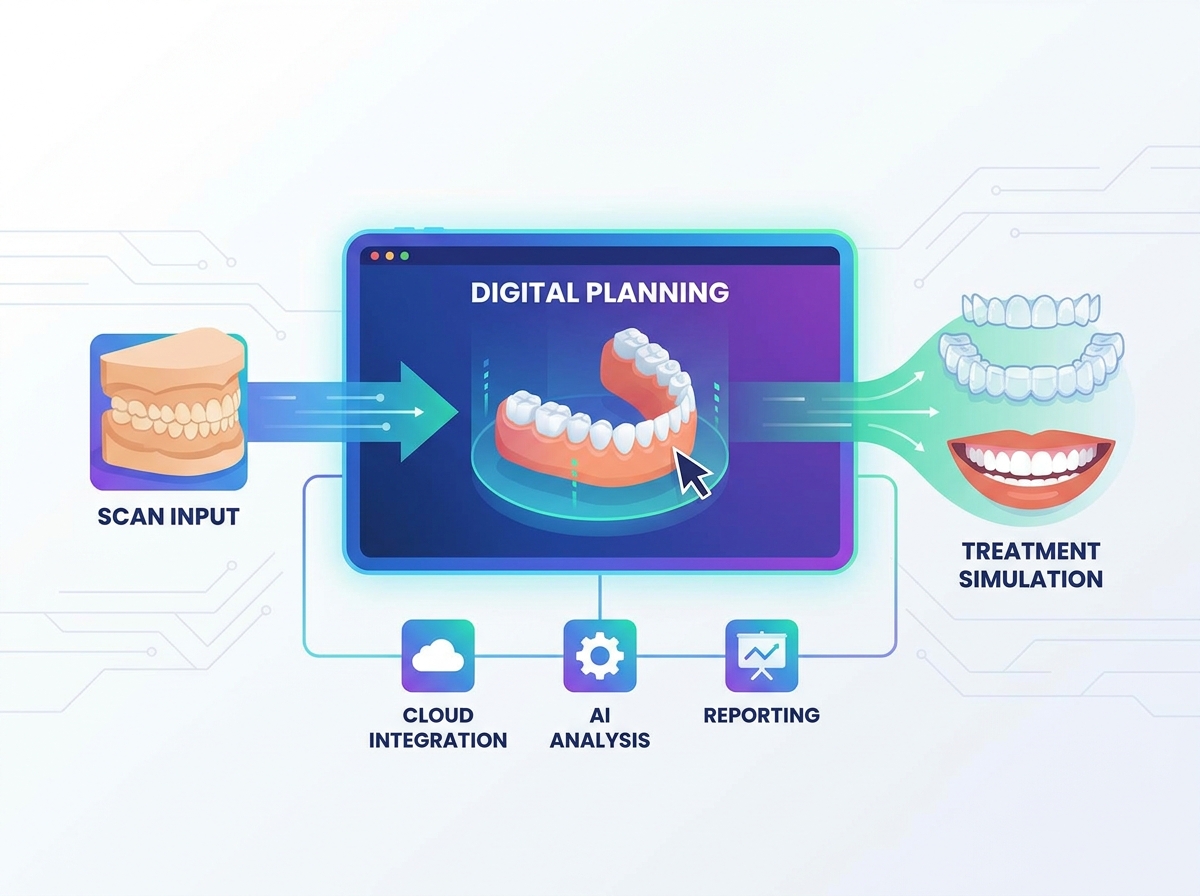
These platforms combine billing, scheduling, and patient communication into one system. They also offer basic clinical viewing and integrated treatment tracking features. Cloud 9 Ortho and Dolphin Management are prominent examples in this category. They work best for practices prioritizing a single unified database. If you do not need advanced in-house appliance design, these systems streamline daily operations. They keep your front desk and clinical team on the same page.
Integrated clinical modules usually handle basic image storage and cephalometric tracing. They excel at organizing patient records and managing appointment flows. However, they often lack the robust CAD tools needed for aligner design. You will likely need supplementary tools for complex 3D manufacturing. These management systems serve as the foundational database for your practice. They ensure all clinical data ties directly back to the patient's main file.
Specialized CAD/CAM platforms focus entirely on digital setups and appliance fabrication. They handle precise bracket placement for indirect bonding workflows. They also manage complex clear aligner staging and trim line generation. Leading options include 3Shape, uLab Systems, ArchForm, and OnyxCeph. High-volume clinics benefit the most from these powerful design tools. They are essential if you produce clear aligners in-house.
These platforms offer granular control over individual tooth movements. You can adjust torque, tip, and rotation with incredible precision. They allow you to design custom attachments and optimize aligner sequencing. Advanced users can create highly customized treatment protocols. This software category is the engine behind modern in-house digital labs. It empowers clinicians to take full control of the manufacturing process.
This category focuses deeply on 2D and 3D cephalometric tracing. They provide robust airway analysis and orthognathic surgical planning tools. Dolphin Imaging and Tx STUDIO are prime examples of this technology. Clinically complex practices rely heavily on these advanced diagnostic features. Surgical orthodontics and academic research institutions require this level of analytical depth. They offer extensive normative databases for precise patient comparisons.
These imaging platforms handle massive DICOM datasets from CBCT scans. They allow clinicians to visualize impacted teeth and complex root structures. You can simulate orthognathic surgery outcomes before entering the operating room. The software generates detailed surgical splints for precise intraoperative positioning. These tools are indispensable for interdisciplinary cases requiring maximum diagnostic clarity. They bridge the gap between orthodontics and oral surgery.
Supplementary platforms track treatment progress remotely between physical appointments. Patients use their smartphones and a specialized retractor to capture intraoral scans. DentalMonitoring leads this specific and rapidly growing category. Practices use these tools to reduce unnecessary chair time significantly. AI analysis optimizes aligner and bracket tracking without requiring an office visit. The software alerts the clinic only when intervention is necessary.
Remote monitoring improves patient compliance through regular digital check-ins. The AI detects broken brackets, unseated aligners, and poor oral hygiene. It analyzes the scan and compares it against the original treatment plan. This technology allows you to extend the intervals between physical appointments safely. It frees up your schedule for new patient consultations and complex procedures. Remote tracking represents a massive leap in clinical efficiency.
Evaluate the maturity of built-in AI features very carefully. Auto-segmentation of teeth and roots from CBCT data should be nearly instantaneous. Automatic landmark identification drastically accelerates routine cephalometric tracing. Predictive tooth movement algorithms improve staging accuracy for clear aligners. Beware of vendor marketing materials overstating AI capabilities. Always test the actual time saved during a hands-on clinical trial.
Compare the AI output against the manual correction required afterward. If the AI routinely misidentifies the cementoenamel junction, it wastes time. True AI automation should reduce a twenty-minute task to under two minutes. Look for platforms that learn from your specific clinical preferences over time. Machine learning algorithms should adapt to your preferred bracket heights and staging protocols. Reliable automation scales your digital lab production.
Upload a complex CBCT scan with severe crowding to test auto-segmentation speed.
Run an automated cephalometric analysis and count the manual landmark corrections needed.
Generate a preliminary aligner staging plan and verify the biological realism of the proposed movements.
Test the software's ability to automatically hollow models and generate print bases.
Assess the software's ability to simulate realistic root movements accurately. The platform must account for biological bone remodeling constraints. It should detect interproximal collisions during treatment staging automatically. Customizable staging protocols keep treatments safe and predictable. You should be able to limit movement to 0.2mm or 2 degrees per aligner stage. This prevents excessive force application and reduces patient discomfort.
Biomechanical realism ensures that digital plans translate into clinical reality. The software should warn you if a proposed movement exceeds biological limits. It must calculate the anchorage requirements for complex intrusion or extrusion mechanics. Advanced platforms simulate the interaction between the appliance and the tooth surface. They help you design optimized attachments for specific force vectors. Accurate collision detection prevents unexpected binding during aligner therapy.
Evaluate the digital bracket library extensively before making a decision. Check the availability of major bracket systems versus generic, unbranded libraries. Assess the workflow for designing accurate IDB transfer trays. Exporting these trays for 3D printing should require minimal clicks. Accurate IDB workflows drastically reduce chairside bonding time. They also improve the precision of initial bracket placement.
The software should allow you to visualize the final occlusion based on bracket position. You need tools to adjust bracket height and angulation digitally. The transfer tray design must ensure a secure fit over the teeth. It must also provide sufficient access for curing lights. A streamlined IDB module eliminates the stress of manual bracket positioning. It allows you to delegate the physical bonding process more effectively.
Patient-facing interfaces directly impact your overall case acceptance rates. Evaluate the 3D treatment simulators and before-and-after morphing features. Cloud-based viewers allow patients to review their treatment plans at home. You should be able to share these securely via a simple web link. High-quality presentations build patient trust and improve conversion rates. Visualizing the final result is a powerful motivational tool.
The presentation module should be intuitive and visually impressive. It must run smoothly on tablets for easy chairside demonstrations. Patients respond best to realistic renderings of their own teeth. The software should highlight the functional and aesthetic improvements clearly. Effective communication tools bridge the gap between clinical terminology and patient understanding. They empower patients to make informed decisions about their treatment options.
Regulatory compliance is a strict requirement for any practice. Ensure absolute adherence to HIPAA, GDPR, and PIPEDA standards. Evaluate data encryption protocols for data at rest and in transit. Role-based access controls protect sensitive patient information from unauthorized viewing. Verify that the vendor uses secure cloud infrastructure like AWS or Azure healthcare clouds. Data breaches carry severe legal and reputational consequences.
You must maintain complete control over who accesses patient records. The software should log every user action for comprehensive security auditing. Regular automated backups prevent catastrophic data loss. Ask the vendor for their detailed disaster recovery and business continuity plans. Secure platforms protect your practice from ransomware attacks and hardware failures. Never compromise on data security when evaluating digital treatment tools.
Live technical support must be available during your specific clinical hours. Evaluate the depth and quality of the vendor's training academy. A structured onboarding process ensures your staff adopts the new tools quickly. Review the Service Level Agreements for guaranteed software uptime. Frequent server outages will paralyze a cloud-dependent digital practice. You need a vendor who acts as a true operational partner.
Look for companies that assign dedicated clinical success managers to your account. They should help you troubleshoot complex cases and optimize your workflows. On-demand video tutorials empower your team to learn at their own pace. Fast response times matter when a 3D printer fails mid-production. Robust support infrastructure separates premium platforms from entry-level alternatives. Your team needs reliable backup when technical issues inevitably arise.
Cloud-based platforms offer remote access and automatic background updates. They reduce the need for heavy local hardware. However, they require high-speed, stable internet connections to function properly. On-premise desktop platforms provide maximum processing power for heavy tasks. They handle massive 3D rendering without any network latency or lag. The trade-off involves maintaining local workstations and servers.
Cloud systems allow you to plan cases from your home office. They facilitate collaboration with external digital labs and specialists. On-premise systems offer unparalleled speed for complex surgical planning. You must manage manual backups and routine IT maintenance with local setups. Assess your clinic's internet reliability before committing to a cloud-only workflow. A hybrid approach sometimes offers the best balance of speed and accessibility.
Infrastructure Type | Primary Advantages | Operational Challenges |
|---|---|---|
Cloud-Based SaaS | Access from anywhere, automatic updates, off-site backups, lower hardware requirements. | Dependent on internet stability, potential latency with large DICOM files. |
On-Premise Desktop | Maximum rendering speed, zero internet dependency, full control over local data. | Requires high-end workstations, manual software updates, local backup management. |
Software access typically falls into subscription models or perpetual licenses. Software-as-a-Service provides continuous updates and unlimited cloud storage. Pay-per-export models charge only when you export a final printable design. Perpetual licenses offer long-term access without recurring monthly access fees. Calculate your expected annual case volume carefully during the evaluation phase. This helps determine which access model aligns with your operational scale.
Subscription models lower the barrier to entry for new digital practices. They ensure you always have access to the latest AI features. Pay-per-export structures work well for clinics just starting with in-house aligners. They allow you to scale your usage based on actual production. Perpetual licenses appeal to established practices with predictable, high-volume production needs. Choose the structure that matches your specific growth trajectory.
Analyze how the platform handles multi-location data syncing and storage. Centralized lab production requires seamless communication across different physical offices. Standardized clinical protocols must deploy uniformly across multiple providers and staff. Enterprise licensing structures often differ significantly from single-seat setups. Ensure the platform scales smoothly as your clinic expands into new markets.
Multi-location practices need robust user permission settings and centralized dashboards. You must be able to track lab production metrics across all offices. The software should prevent duplicate patient files when syncing databases. Cloud architecture usually handles multi-site scaling better than on-premise servers. Your digital infrastructure must support your long-term expansion goals without requiring complete rebuilds. Scalability maintains consistent clinical quality.
Complex CAD interfaces can easily overwhelm your clinical staff. This frustration often leads to platform abandonment and wasted investments. You might find yourself reverting to external design services. Mitigate this by prioritizing vendors with robust, structured onboarding programs. Look for dedicated clinical success managers who understand orthodontic workflows. Extensive on-demand video academies empower your team to learn independently.
Start your implementation with simple cases to build team confidence. Do not attempt complex surgical planning during your first week. Designate a digital champion within your staff to lead the transition. This person handles initial troubleshooting and trains new employees. Gradual integration prevents workflow bottlenecks and reduces staff anxiety. Proper training transforms a daunting software interface into a powerful clinical tool.
Transitioning from older systems risks the loss of historical patient records. Imaging data can easily become corrupted during massive file transfers. Require a documented data migration SLA from your new software vendor. Demand comprehensive test migrations before authorizing the full deployment. Verify that all legacy files open correctly in the new environment.
Map out exactly how historical patient data will map to the new database. Ensure that clinical notes and appointment histories transfer without errors. Run both systems concurrently for a short period to verify data integrity. Do not cancel your legacy software until the migration is fully verified. Careful planning prevents catastrophic data loss and ensures continuity of patient care. Protect your historical records at all costs during the transition.
Existing practice computers may lack the necessary GPU power. Modern 3D rendering requires significant RAM and fast solid-state drives. Local networks often choke on massive DICOM file transfers between rooms. Conduct a comprehensive IT audit before signing any new software contracts. Compare your current hardware against the vendor's recommended system requirements. Never settle for the minimum specifications if you want smooth performance.
Upgrade your network switches and Wi-Fi routers to handle increased traffic. Ensure your internet connection has sufficient upload speeds for cloud backups. Invest in high-quality monitors for accurate diagnostic viewing and treatment planning. Cutting corners on hardware will throttle the performance of premium software. A fast, reliable IT infrastructure is the foundation of a digital practice. Plan for necessary hardware upgrades alongside your software investment.
Top contenders include 3Shape Clear Aligner Studio, uLab Systems, and ArchForm. These platforms excel at automated trim line generation and model hollowing. They offer incredible export flexibility and advanced, biologically driven staging algorithms. Their workflows streamline the entire process from intraoral scan to 3D print. They optimize production efficiency for high-volume, in-house aligner fabrication.
3Shape offers a highly polished, comprehensive ecosystem with seamless scanner integration. uLab Systems provides lightning-fast AI setups tailored for immediate chairside design. ArchForm delivers an intuitive interface with highly flexible export options. These platforms allow you to design a comprehensive aligner case in minutes. They represent the cutting edge of in-house digital manufacturing technology.
Dolphin Imaging and OnyxCeph³™ dominate this specific diagnostic space. They provide extensive normative databases for accurate and diverse patient comparisons. Airway volume analysis tools are highly sophisticated and visually detailed. You can create custom analyses tailored to your specific clinical philosophy. They also excel in complex 3D orthognathic surgical splint design.
Dolphin Imaging remains the industry standard for traditional 2D and 3D cephalometrics. It integrates deeply with most major practice management systems. OnyxCeph³™ offers an incredibly powerful, module-based approach to digital planning. It handles everything from basic tracing to advanced aligner design. These tools are indispensable for specialists handling severe skeletal discrepancies.
Blue Sky Plan offers a highly capable and versatile Orthodontic Module. It utilizes a pay-per-export access model that minimizes initial investments. The open-architecture environment is highly customizable for advanced digital users. It accepts a wide variety of standard file formats without restrictions. This platform is ideal for tech-savvy clinicians who want maximum control.
Blue Sky Plan requires a steeper learning curve than proprietary systems. However, it offers unparalleled freedom to design custom workflows. You can export models for aligners, indirect bonding, and surgical guides. It is a favorite among academic institutions and independent digital labs. The active user community provides extensive support and custom design templates.
Audit your current intraoral scanners and 3D printers to verify open architecture compatibility.
Identify your primary clinical bottleneck to determine if you need aligner design, cephalometric tracing, or practice management tools.
Request technical demos using a standardized evaluation rubric to compare vendor capabilities objectively.
Demand a live demonstration of a complex case setup, such as severe crowding or surgical planning, rather than watching a pre-recorded video.
A: Open software accepts and exports standard files like STL, PLY, and DICOM from any brand. Closed software restricts you to proprietary hardware and specific file types. Open systems provide greater flexibility for hardware upgrades and lab integrations. Closed systems often offer a more streamlined experience but limit your future choices.
A: Not automatically. Integration depends on the scanner's ability to export open formats. It also relies on the software's API capabilities. Always verify compatibility before committing to a new platform. Most modern systems support standard STL and PLY files, ensuring broad compatibility across major scanner brands.
A: These platforms generally require dedicated graphics cards like the NVIDIA RTX series. You will need 16GB to 32GB of RAM for optimal performance. Multi-core processors are essential for smooth 3D rendering and fast export times. Solid-state drives are highly recommended for fast file loading and saving.
A: Yes, premium comprehensive platforms offer modules for both treatments. However, some practices prefer specialized platforms for each modality. This approach optimizes specific workflows for different appliance types. Using a single platform simplifies training, while specialized tools may offer deeper features for specific tasks.
A: Many top-tier platforms offer direct API integrations with popular dental 3D printers. Others require you to export an STL file manually. You then import that file into the printer's slicing program. Direct integrations save time and reduce the chance of file management errors during production.
A: Reputable platforms maintain strict HIPAA compliance and robust security protocols. Practices must ensure a Business Associate Agreement is signed with the vendor. Verify that all patient data is encrypted both at rest and in transit. Always use strong passwords and enable two-factor authentication for all staff accounts.


